From Booking to Completion — Step by Step.
Every movement through your warehouse follows the same 5-stage pipeline. Below is a complete walkthrough of both inbound and outbound flows.
The 5-Stage Pipeline
Every stage has an undo button — mistakes can be corrected at any point.
Book the Container
Create a booking with the container number, expected delivery date, customer, and product lines. Attach the PDF packing list — CM4 auto-scans it to pre-populate product lines.
- Container number & delivery date
- Customer and product lines
- PDF packing list attached & scanned
Confirm Product Lines
When the container paperwork is processed, operators confirm each product line — checking quantities, adding batch numbers, and assigning stock locations.
- Quantities confirmed
- Batch numbers assigned
- Stock locations set
Lorry On Site
When the vehicle arrives, operators mark it as Arrived. CM4 timestamps the arrival, and an Arrival Gate Pass is automatically printed with driver, haulier, and vehicle registration.
- Arrival timestamped
- Arrival Gate Pass printed
- Driver & vehicle details captured
Inventory Updated
Stock is moved from the container into the warehouse. CM4 updates live inventory instantly — each product's quantity added to its assigned location.
- Live stock levels updated
- Location quantities adjusted
- Atomic update — no double-counting
Movement Finalised
Notes are added, the movement is marked complete, and a customer portal link is generated. The customer receives an email with a secure link to their outturn report — no login needed.
- Movement notes added
- Outturn report generated
- Customer portal link emailed
Book the Collection
Create a collection booking with the delivery address, product lines, and quantities required. Attach a PDF collection note — CM4 auto-scans it for the delivery address.
- Delivery address & contact
- Product lines and quantities
- PDF collection note attached
Pick List Generated
A picking list is generated showing product descriptions, bay locations, quantities, batch numbers, and checkboxes. For multi-drop loads, the lorry loading diagram is included.
- Picking list generated
- Bay locations shown
- Loading order for multi-drop
Collection Vehicle On Site
When the collection vehicle arrives, operators enter the driver, haulier, and vehicle registration details. For multi-drop loads, delivery stops are ordered here.
- Driver & haulier details entered
- Delivery order confirmed
- Multi-drop load plan set
Stock Deducted
Once picking is complete, stock is atomically deducted from the warehouse. CM4 updates live inventory instantly — quantities removed from their assigned locations.
- Stock deducted atomically
- Batch numbers confirmed
- Live inventory updated
Gate Pass & Portal
A Collection Gate Pass is automatically printed for the departing vehicle, including the multi-drop load plan if applicable. The customer receives their collection report via a secure email link.
- Collection Gate Pass printed
- Load plan included if multi-drop
- Customer portal link emailed
Load Planning Made Visual
When a lorry carries multiple collections to different delivery stops, CM4 automatically calculates the load order — 1st drop loads last at the back, 3rd drop loads first near the cab — and generates a visual lorry diagram showing exactly how to build the load.
1st drop = load last at the back. 3rd drop = load first near the cab. CM4 calculates this automatically.
Plan Storage Before Goods Arrive
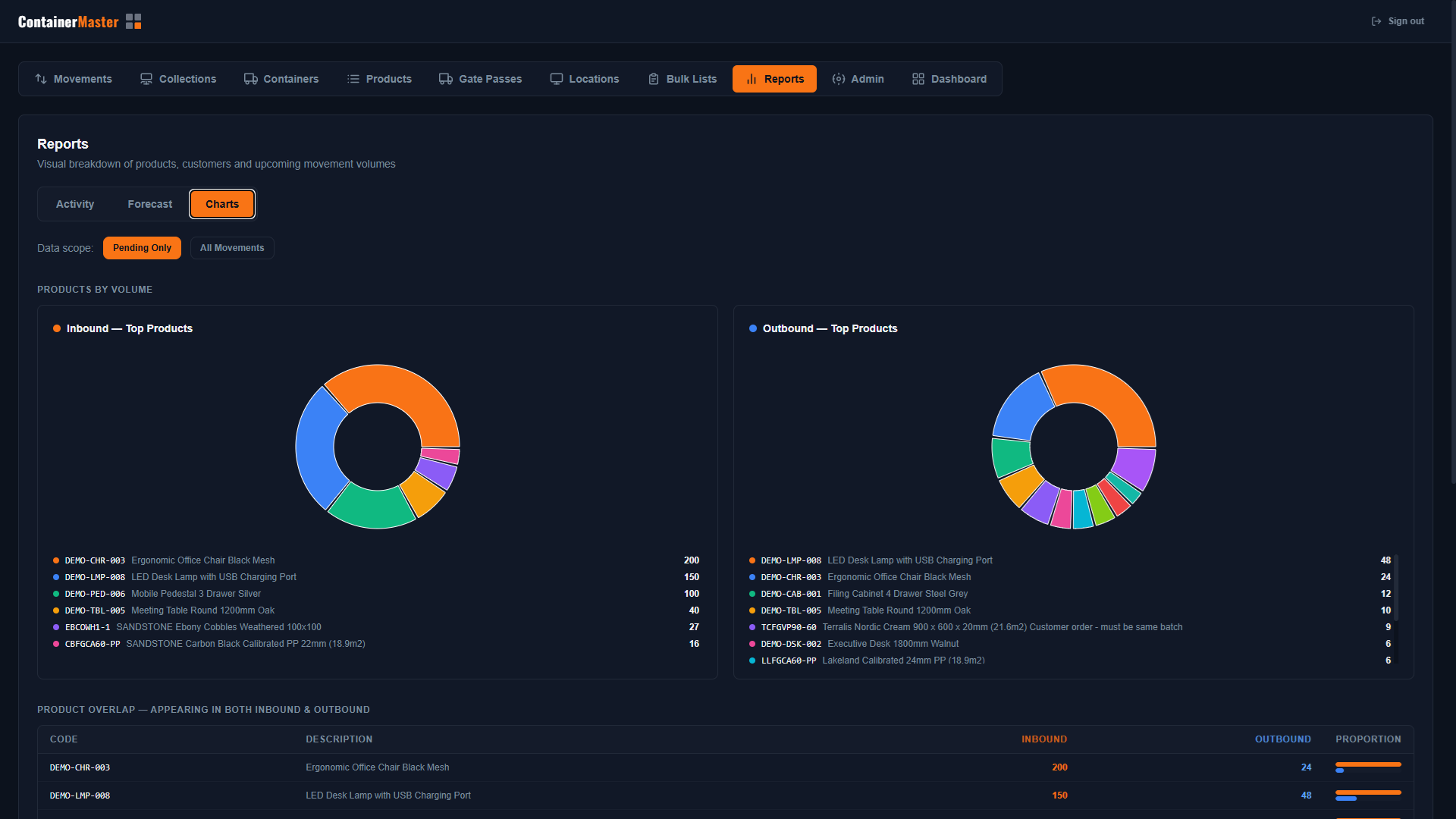
CM4's Forecast view gives you full visibility of what's coming in before it arrives — so your team can allocate bay space, plan staffing, and prepare the warehouse floor with zero last-minute scramble.
Give Your Customers Their Own Live View
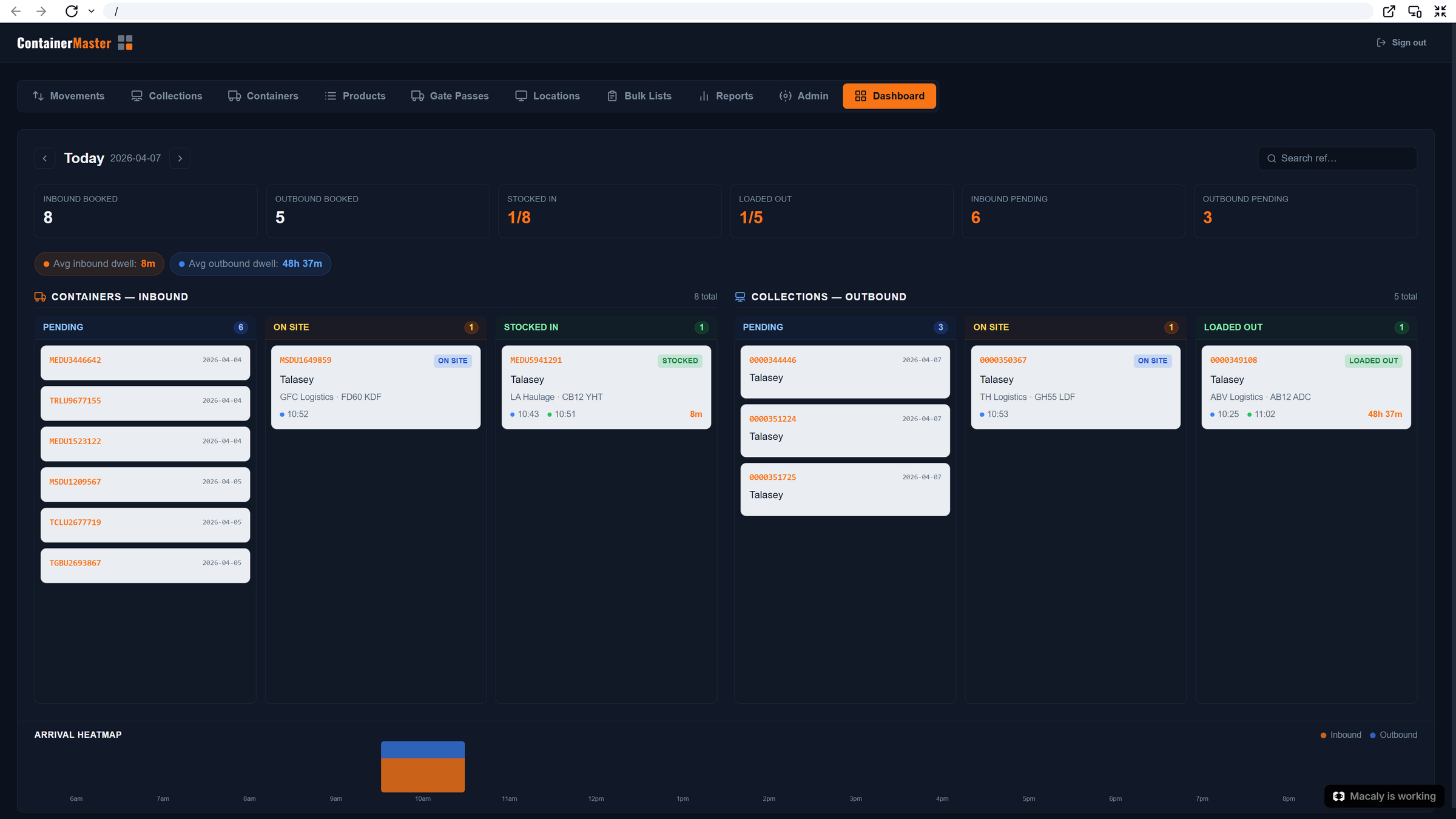
Your customers don't need to call to find out what's happening with their stock. CM4 gives them a live dashboard to monitor daily movements — with automatic notifications the moment a delivery is received or a collection departs.
“Customers stop calling to ask where their stock is — they already know.”
See It In Your Warehouse.
Book a demo and we'll walk you through ContainerMaster 4 with your operations in mind.
Book a Demo